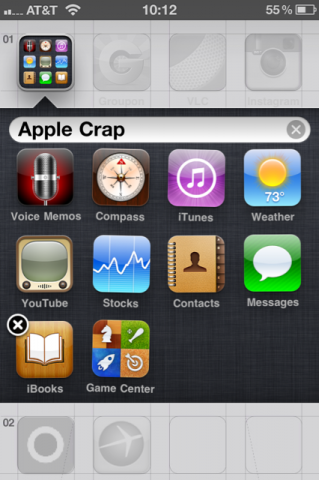
With iOS 4, Apple introduced a new way to organize your icons inside folders. Folders are an easy way to put related applications under the same label (ie. games, photography, etc…). Personally, I’m a big fan of folders. They make my iPhone screen look clean and organized
Here is how to organize your icons into folders…
Step 1: Tap and hold any icon until they all start jiggling.
Step 2: Tap an icon and drag it onto another icon.
Step 3: Your iPhone will automatically create a new folder, which you can rename to your liking.
Step 4: Click the Home button when you’re done.
To remove an icon from a folder, open the folder, tap and hold until icons jiggle, then drag the icon out of the folder.

0 nhận xét:
Post a Comment